

Ai Trader MT5
Ai Trader - analizza i grafici e crea ordini con l'aiuto dell'AI.
1) Collega qualsiasi AI - locale gratuito o tramite API.
2) Crea qualsiasi richiesta per il grafico. L'AI cercherà e farà solo ciò che scrivi nella richiesta.
3) L'AI descriverà e disegnerà l'analisi del grafico e potrà creare ordini.
Analisi AI dei grafici
Creazione automatica di ordini su più simboli
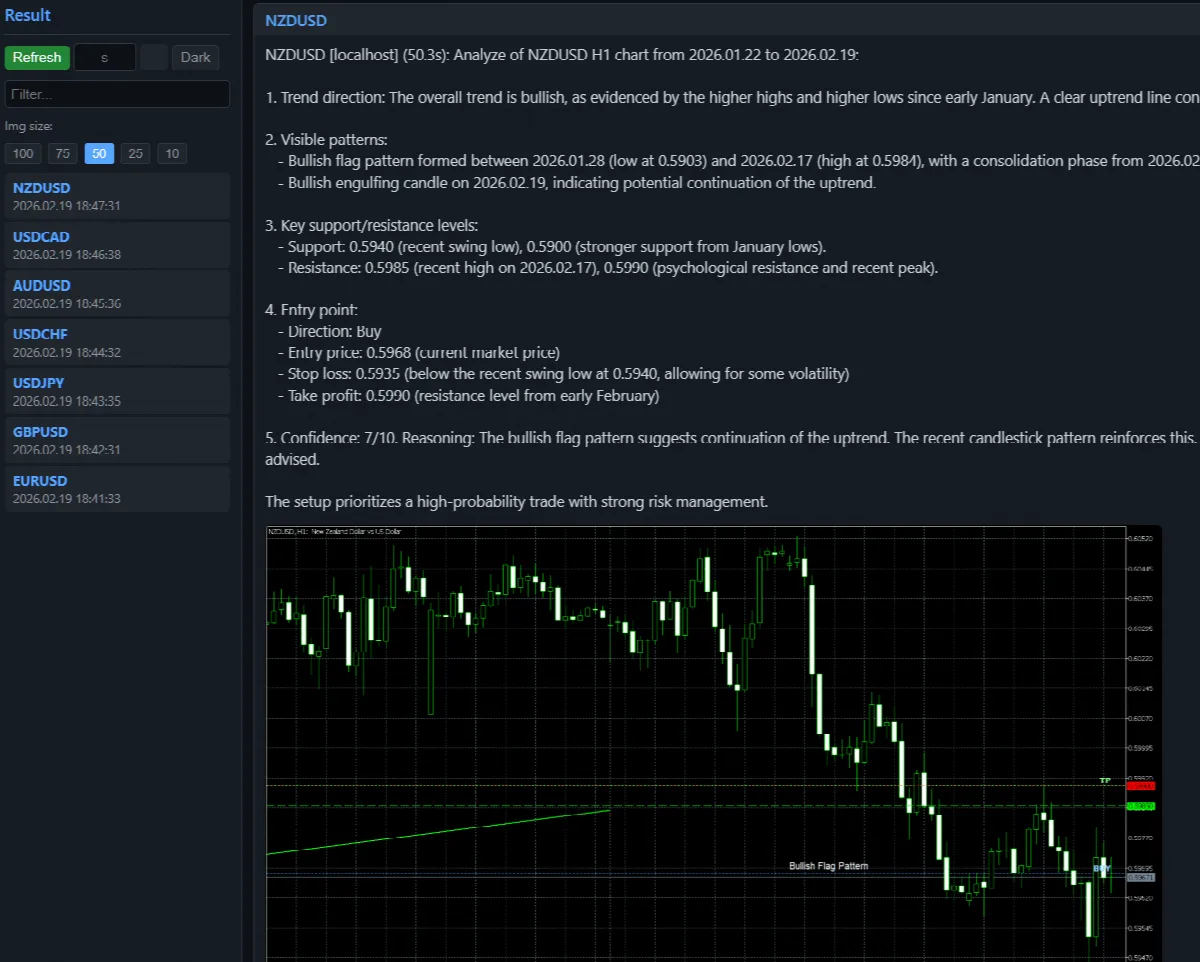
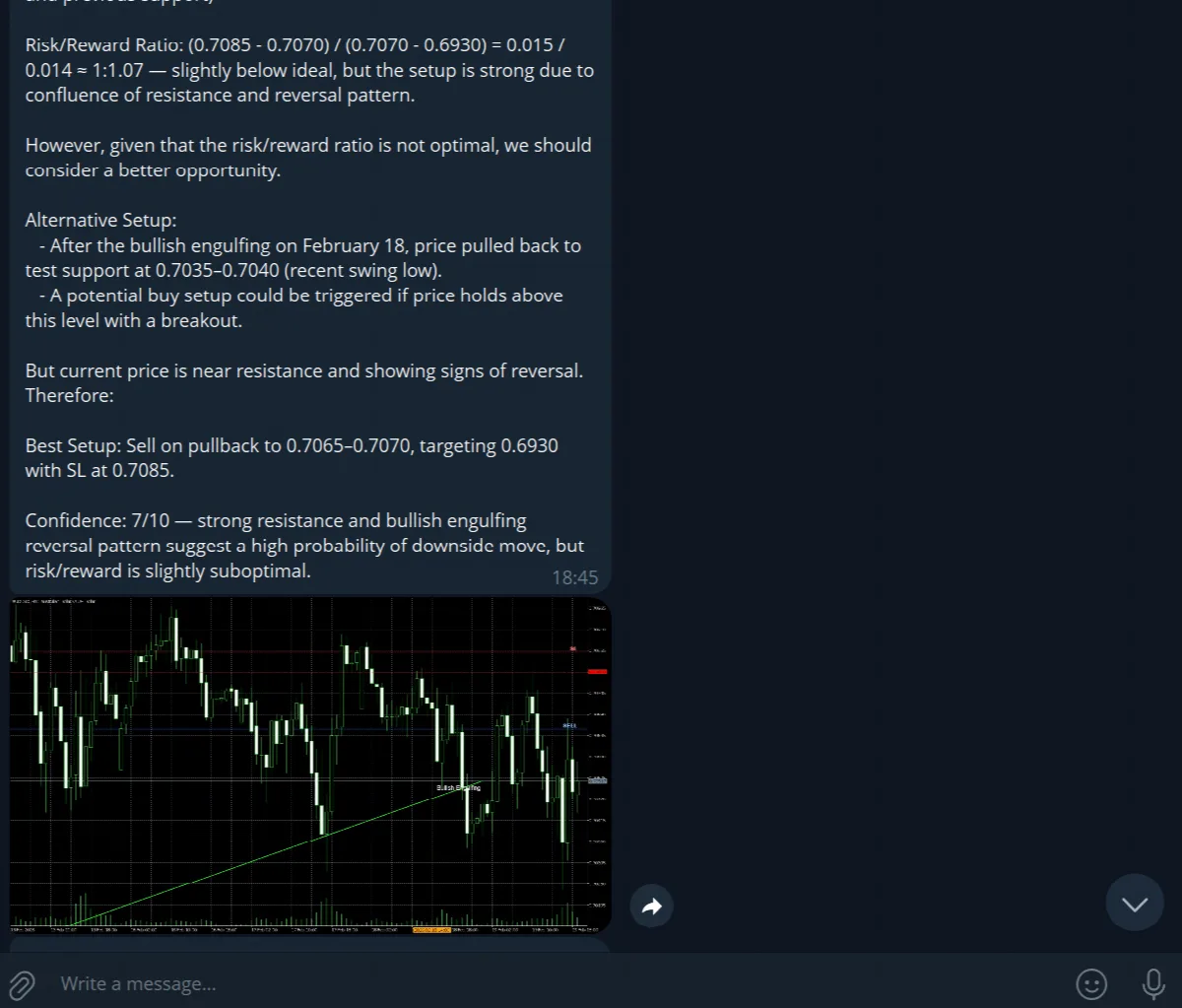
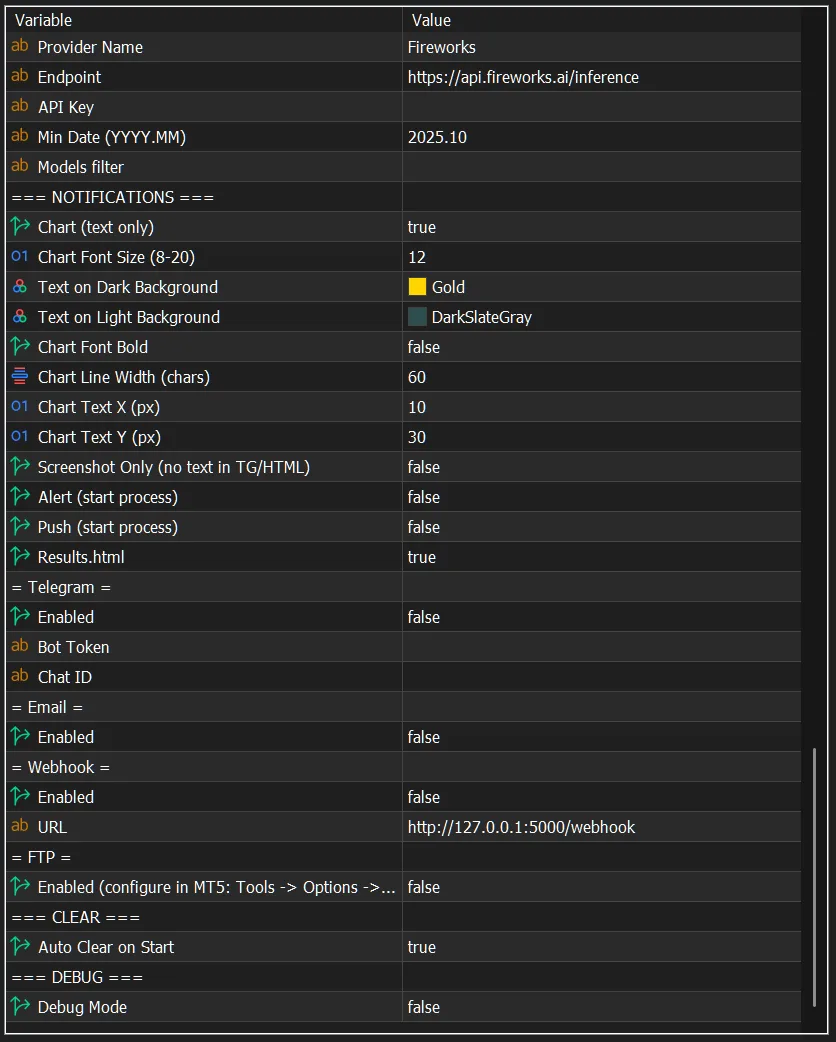
Visualizzazione dei risultati su Telegram, Html, Sul grafico, Webhook, Ftp, Email
Elaborazione batch di più simboli in un'unica esecuzione
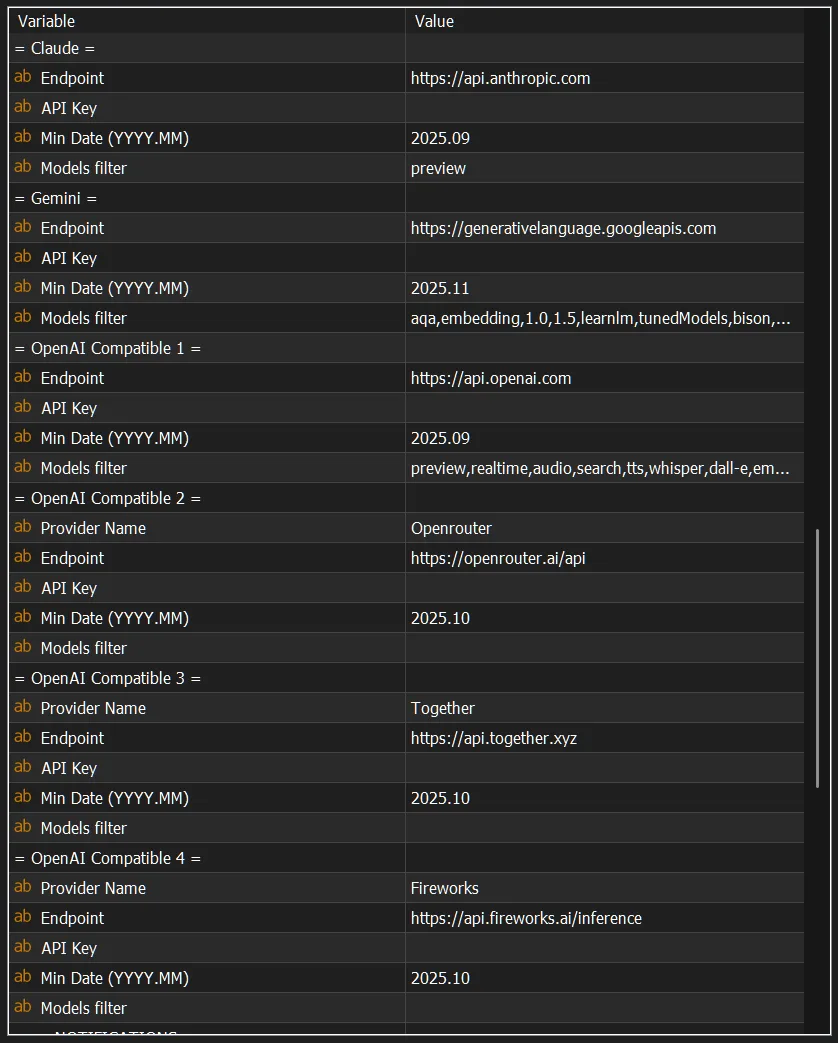
Connessione a qualsiasi modello VL e provider AI
Creazione di richieste nell'editor di testo
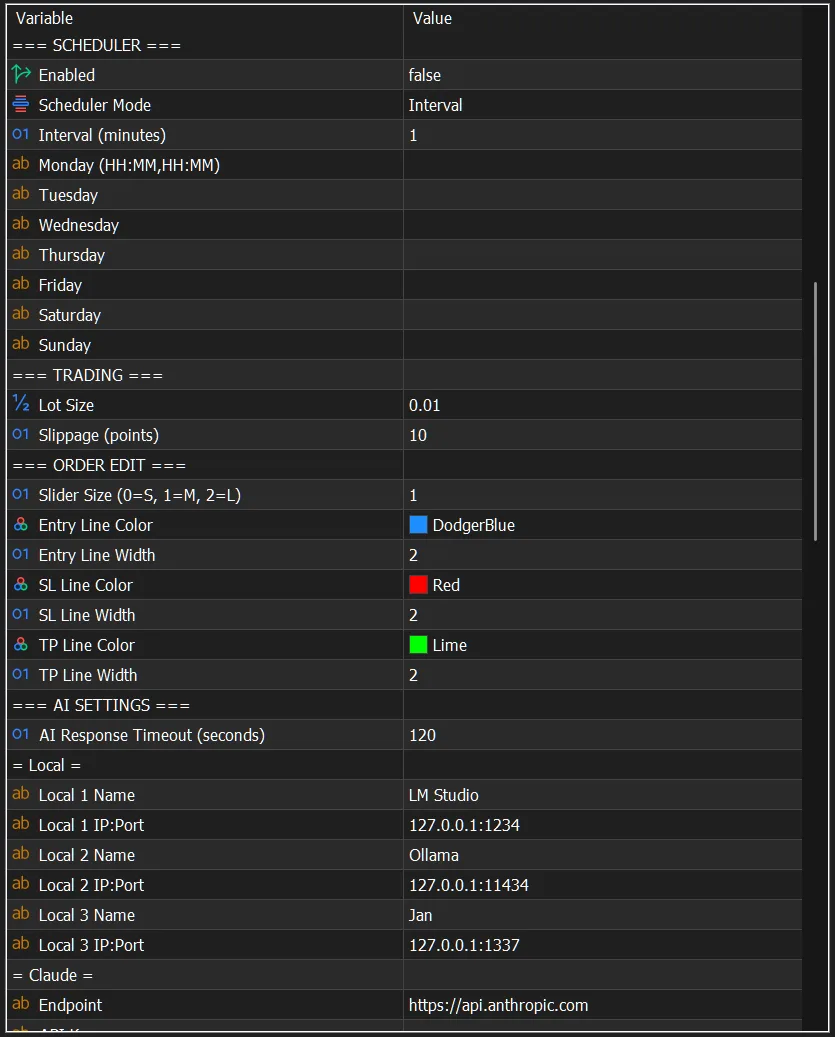
Pianificatore - avvia l'elaborazione a intervalli o a un orario specifico
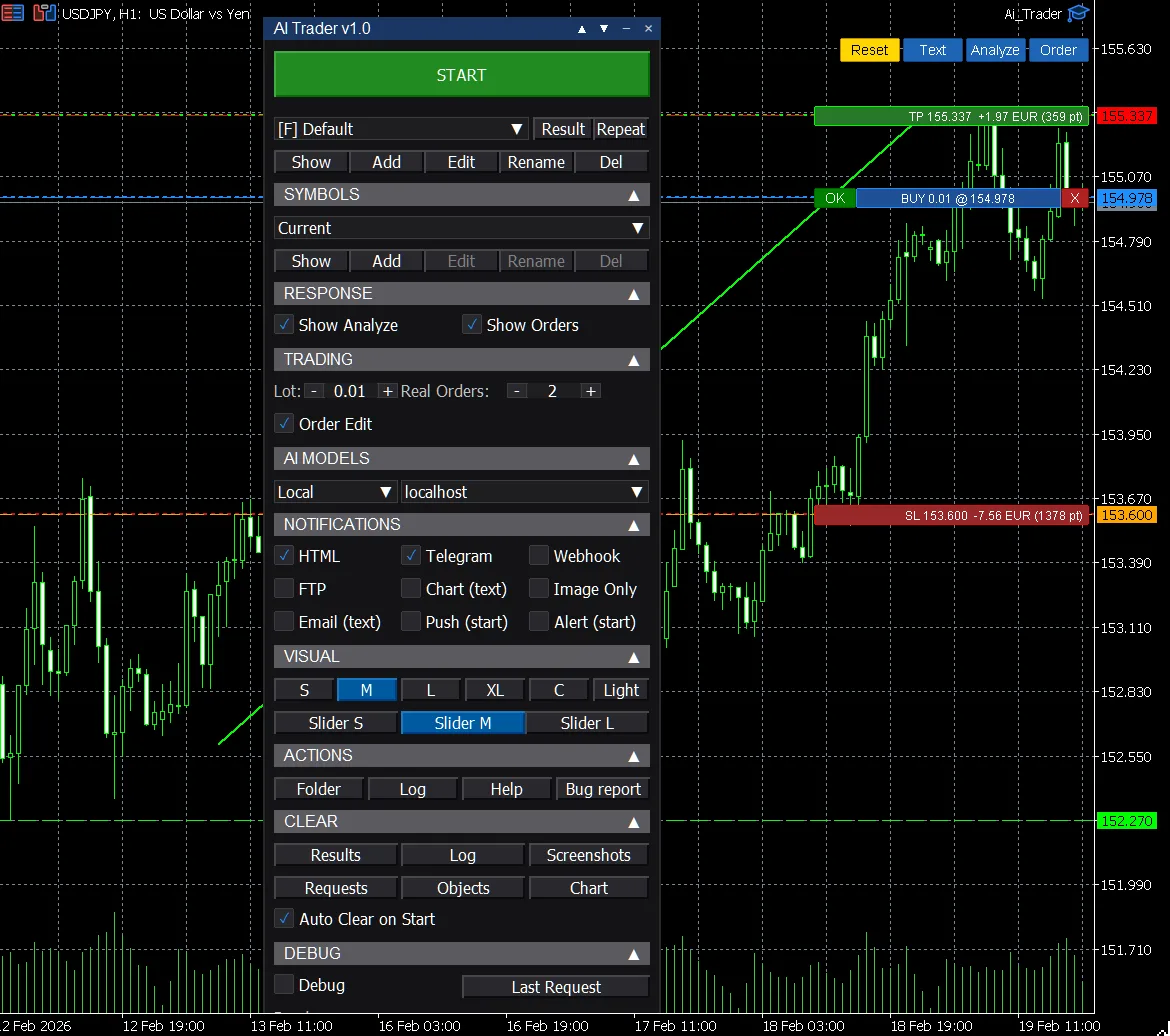
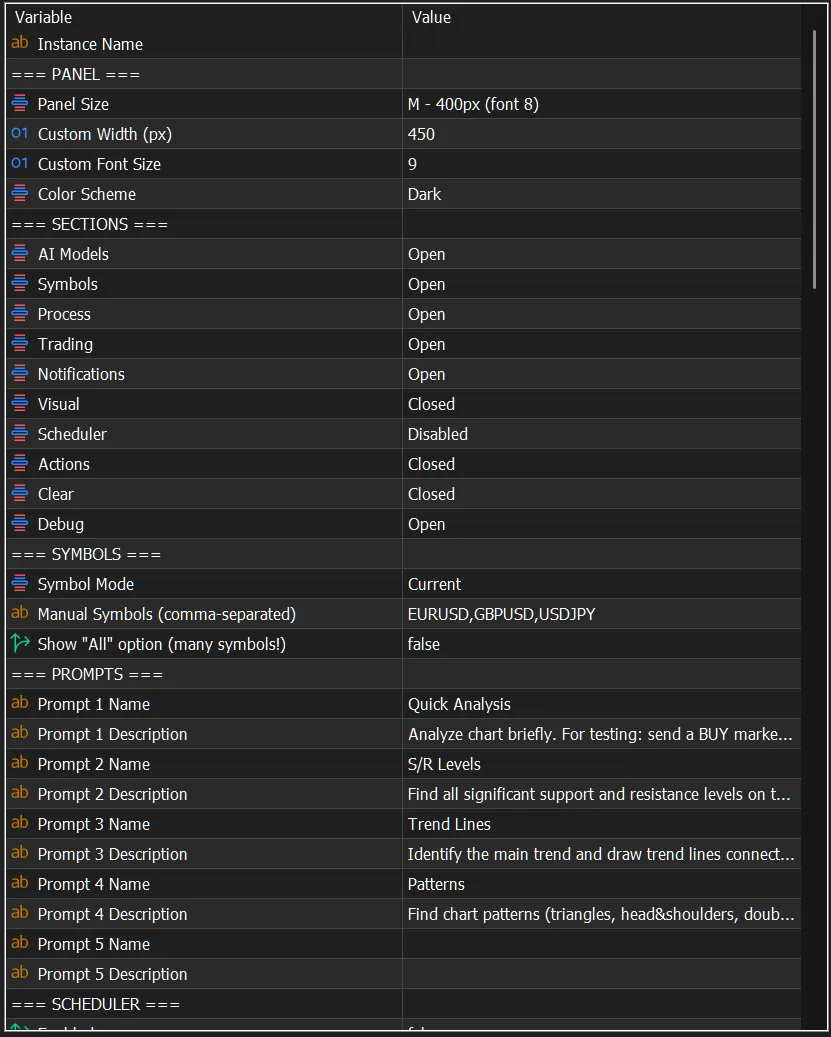
Pannello professionale con sezioni nascondibili e regolazione dei parametri visivi
Ai Trader - analyzes charts and creates orders using AI.
- Connect any AI - free local or via API.
- Create any query for the chart. AI will search and do only what you write in the query.
- AI will describe and draw chart analysis and can create orders.
AI Chart Analysis
- AI analyzes a chart screenshot and draws directly on it:
- Trend lines
- Horizontal support/resistance levels
- Supply and demand zones
Trading
- Auto-creation of orders on multiple symbols
- Ability to adjust the order on the current chart using convenient sliders
Connection to any VL models and AI providers
- Local APIs ( LM Studio, Ollama, Jan.ai and others )
- Claude API
- Gemini API
- OpenAI Compatible API ( ChatGPT, GLM, Kimi, DeepSeek, MiniMax, Mimo ... )
- OpenAI Compatible aggregators ( OpenRouter, Together AI, Fireworks ... )
- Switch between models in one click.
- Auto-loading models from AI providers with filtering by date and keywords.
Creating queries in the text editor
- Manage instructions and queries for AI via .txt files or expert advisor settings.
Batch processing of multiple symbols in a single run
- Process all symbols in MarketWatch, only the current one, manually specified, in files, all ...
- Create symbol lists in txt files
Scheduler
- Automatic analysis launch
- By schedule (HH:MM for each day of the week)
- By interval (every N minutes)
- By interval from completion (N minutes after the end of the previous cycle)
Notification and result viewing channels
- HTML report — text + screenshot. Convenient viewing of results right in the browser with auto-refresh.
- Telegram — text + screenshot
- FTP — text + screenshot
- Webhook — JSON with text and screenshot (base64)
- Email — text notification
- Push — phone notification on start
- Alert — pop-up window on start
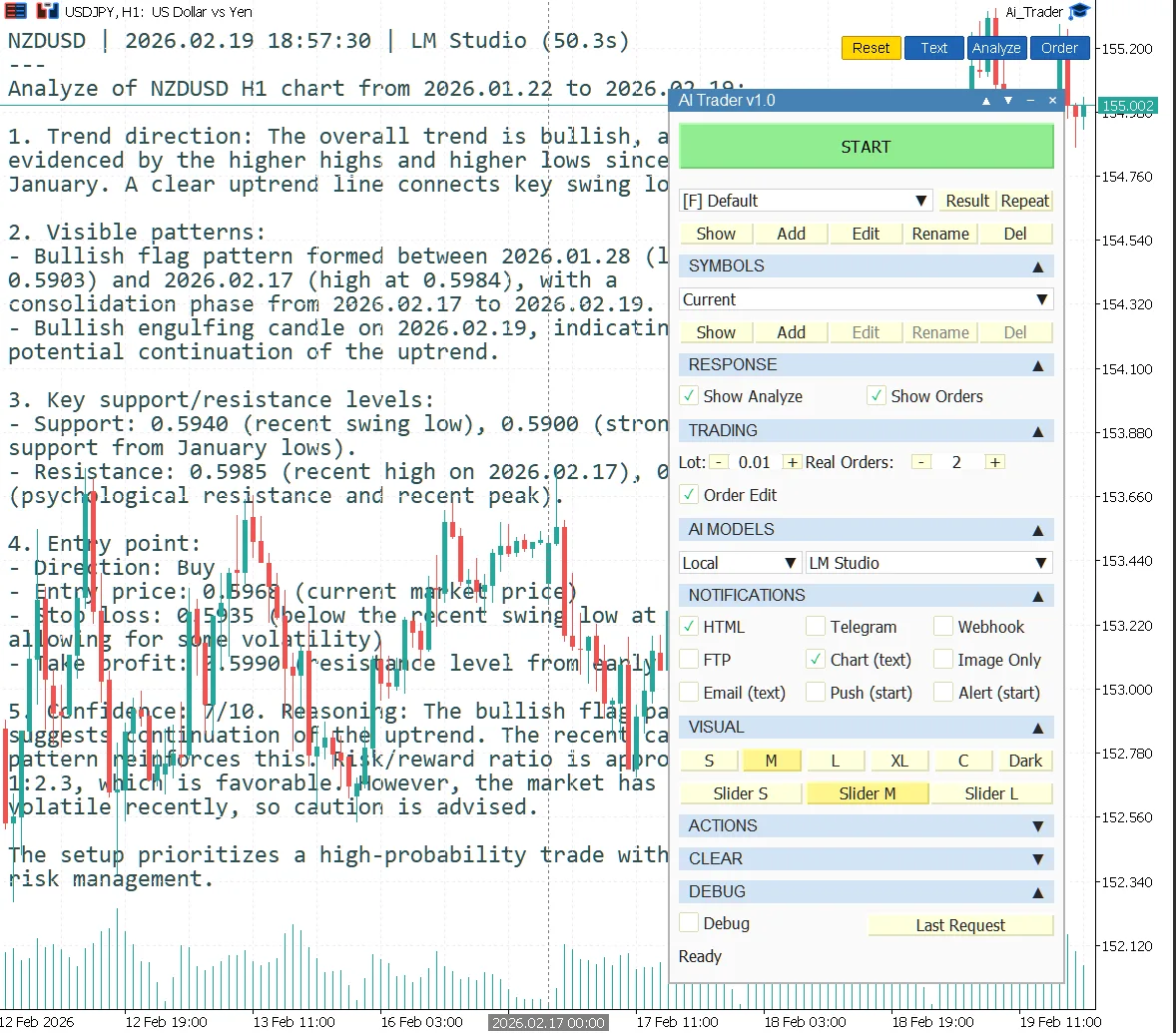
- "Screenshot Only" mode — text with description will be directly on the chart.
PRO Panel
- Professional panel with sections and advanced visual parameter adjustment (sizes, colors, fonts, Dark/Light theme)
- Sections - parameter grouping. They can be opened, closed or disabled.
Debug Mode
- Help with setting up and debugging communication with the AI model
- When enabled, you can track full JSON requests and responses
- Detailed log.txt for convenient analysis.