

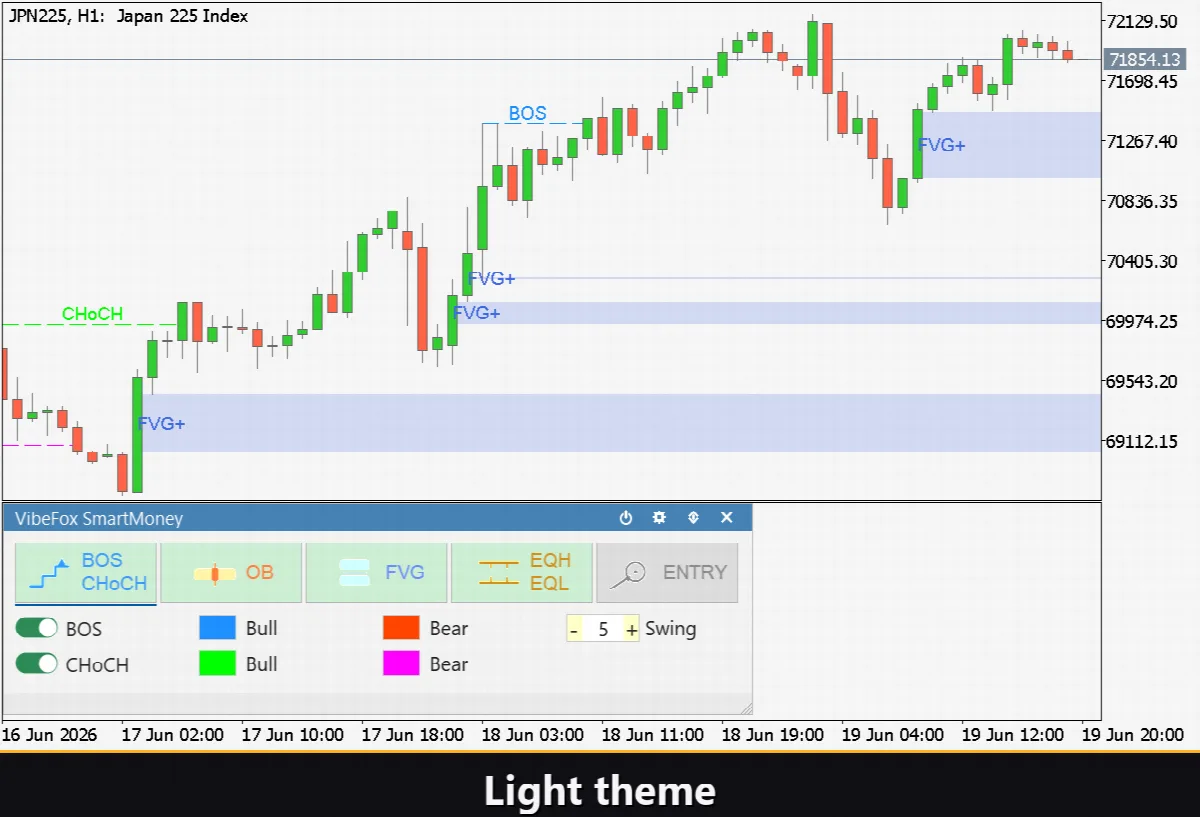
VibeFox SmartMoney MT5
VibeFox SmartMoney is a real-time Smart Money Concepts indicator for MetaTrader 5. It reads market structure the way institutional price-action traders do and draws everything that matters directly on your chart through a modern, interactive panel. Instead of hunting for swings, gaps and zones by hand, you see structure breaks, order blocks, imbalances, liquidity and ready-to-watch entry zones the moment they form.
VibeFox SmartMoney — Smart Money Concepts Toolkit
VibeFox SmartMoney is a real-time Smart Money Concepts indicator for MetaTrader 5. It reads market structure the way institutional price-action traders do and draws everything that matters directly on your chart through a modern, interactive panel. Instead of hunting for swings, gaps and zones by hand, you see structure breaks, order blocks, imbalances, liquidity and ready-to-watch entry zones the moment they form.
Everything is built around one idea: turn the full SMC workflow into a single, configurable tool that stays in sync with the live market on any symbol and any timeframe.
Market Structure — BOS and CHoCH
The core of any Smart Money read is structure, and VibeFox SmartMoney maps it automatically.
BOS (Break of Structure) marks a break that continues the prevailing trend — confirmation that momentum is still in control.
CHoCH (Change of Character) marks the first break against the current trend — the early structural hint that a reversal may be underway.
Swing detection is fully tunable through the Swing Period setting, the number of bars on each side required to confirm a swing point. Lower it for fast intraday structure, raise it to filter noise on higher timeframes. Bull and bear breaks carry their own colors and transparency so trend and counter-trend events are instantly distinguishable.
Order Blocks
The indicator locates bullish and bearish Order Blocks — the supply and demand zones where institutional orders are likely resting — and draws them as clean zones on the chart. You control how many of the most recent blocks stay visible, and bull and bear zones keep independent colors and transparency.
The Hide Mitigated option automatically removes Order Blocks once price has traded through them, so your chart always shows only the zones that are still in play rather than a clutter of spent levels.
Fair Value Gaps
VibeFox SmartMoney detects bullish and bearish Fair Value Gaps — the three-candle imbalances that price so often returns to fill. Each FVG is plotted as a shaded zone, with separate colors and transparency for bullish and bearish gaps and a configurable limit on how many recent gaps remain on screen.
As with Order Blocks, a Hide Mitigated switch clears any FVG that price has already filled, keeping your focus on the imbalances that still represent unfinished business.
Liquidity — Equal Highs, Equal Lows and Sweeps
Liquidity is where Smart Money operates, and this module exposes it directly.
Equal Highs (EQH) and Equal Lows (EQL) highlight clusters of matching highs and lows where stops and pending orders tend to pool. A Threshold in pips defines how close levels must be to count as equal, so you can tune sensitivity to the symbol you trade.
Liquidity Sweeps flag the false breaks that run those levels and snap back — the classic stop-hunt that often precedes a real move. EQH, EQL and Sweep markers each carry their own color so the picture stays readable.
Entry Points with SL and TP
VibeFox SmartMoney brings the concepts together into actionable Entry Points. When enabled, it marks BUY and SELL zones complete with suggested SL and TP levels, so the structural read translates into a concrete area to watch.
You decide what defines a valid entry. The Entry Type selects the zone the setup is built on — OB, FVG or OB+FVG for setups where both align. The Confirmation setting then requires a structural trigger before a signal is valid — BOS, CHoCH, or both. This lets you go from loose, frequent entries to strict, fully confirmed setups with a couple of clicks. Bullish and bearish entries are colored independently.
Notifications
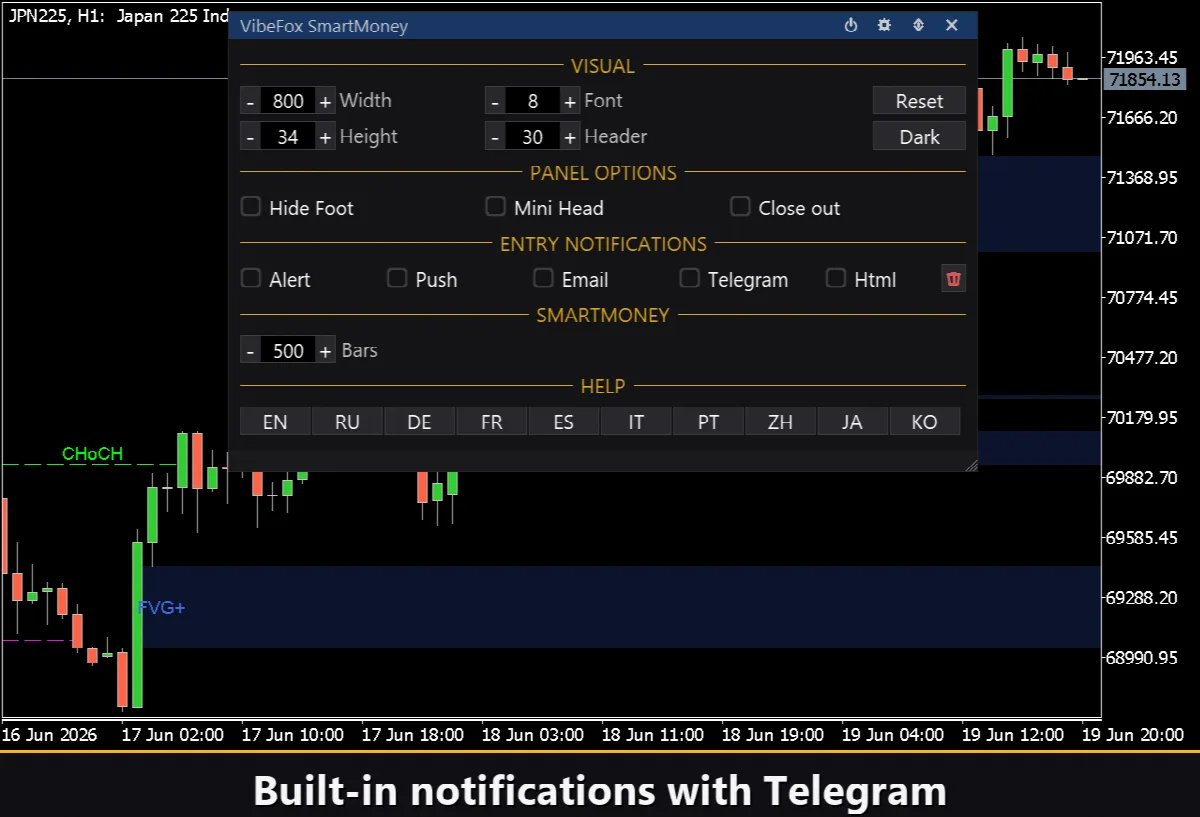
Every fresh entry signal can reach you instantly through several channels, each switched on or off independently so you receive only what you need.
Alert — pop-up message inside the terminal.
Push — mobile notification to the MetaTrader 5 app on your phone.
Email — message sent through the terminal mail settings.
Telegram — the alert text together with a chart screenshot, sent straight to your Telegram chat.
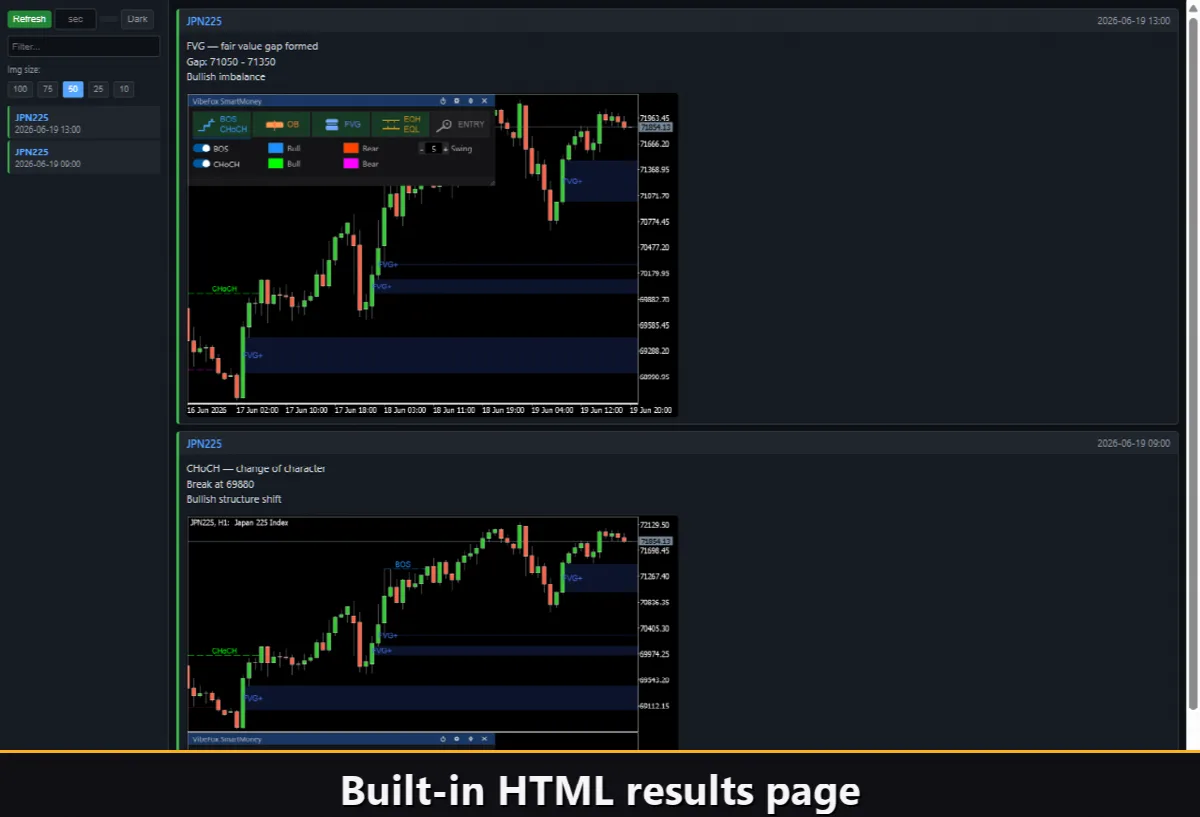
Html — every signal logged into a visual HTML report.
Visual History (HTML Report)
With the Html channel enabled, each entry signal is saved into an HTML report together with a screenshot of the chart at the moment of detection. The report lives in the terminal Files folder and opens in any browser, giving you a complete visual journal of every setup the indicator found — ideal for review, study and refining your own rules. A one-click trash button clears the report and its screenshots whenever you want a fresh start.
Telegram Alerts
Signals can also be delivered straight to your Telegram chat — the alert text together with a screenshot of the chart at the moment of detection. Turn on the Telegram channel and enter your bot token and chat id in the inputs.
Delivery rides on the HTML report: each new signal is written into the report, and the report — opened in a browser — forwards it to your Telegram chat on its own. For this reason, enabling Telegram automatically keeps the Html report on, and the two channels work together.
Interactive On-Chart Panel
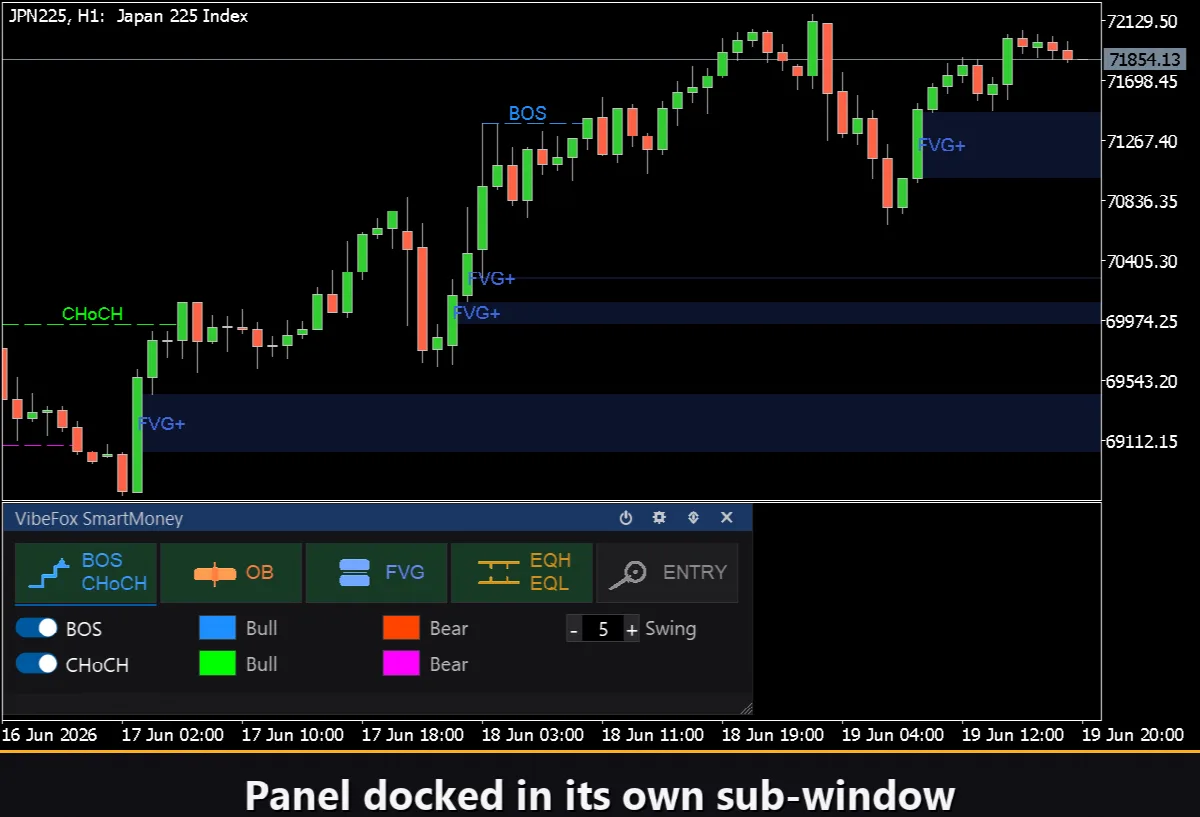
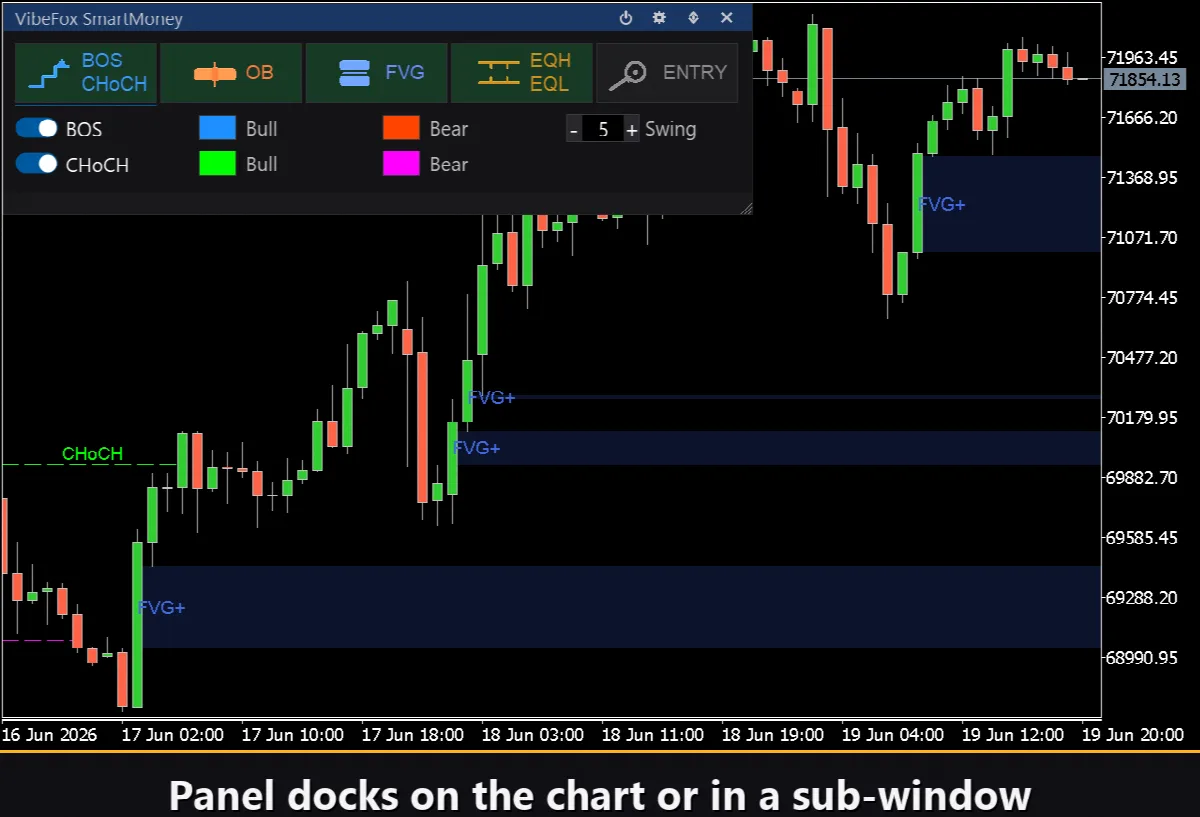
The entire interface is a smooth, canvas-based panel built for fast, mouse-driven control. Each Smart Money module has its own tab, so the whole toolkit stays organized and one click away.
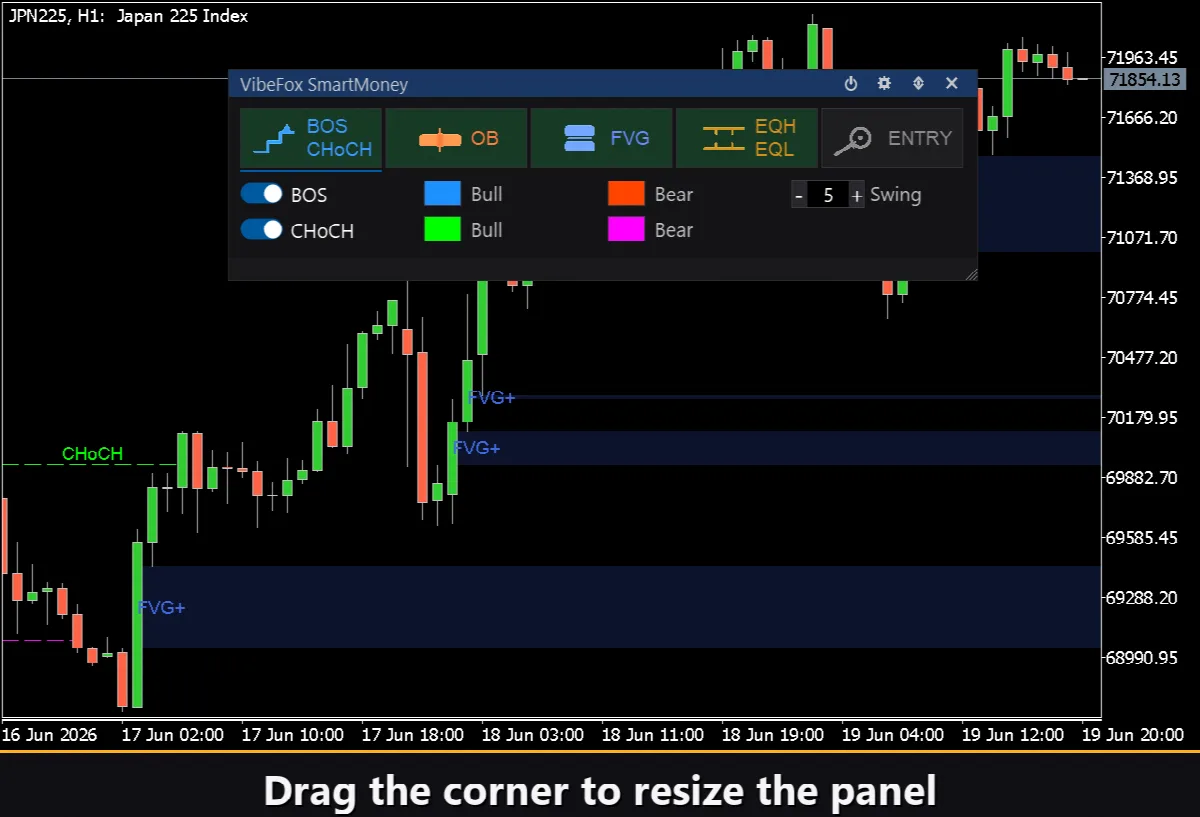
Resizable — drag the lower-right corner to scale the panel to your layout.
Movable — switch the panel between a separate subwindow and the main chart.
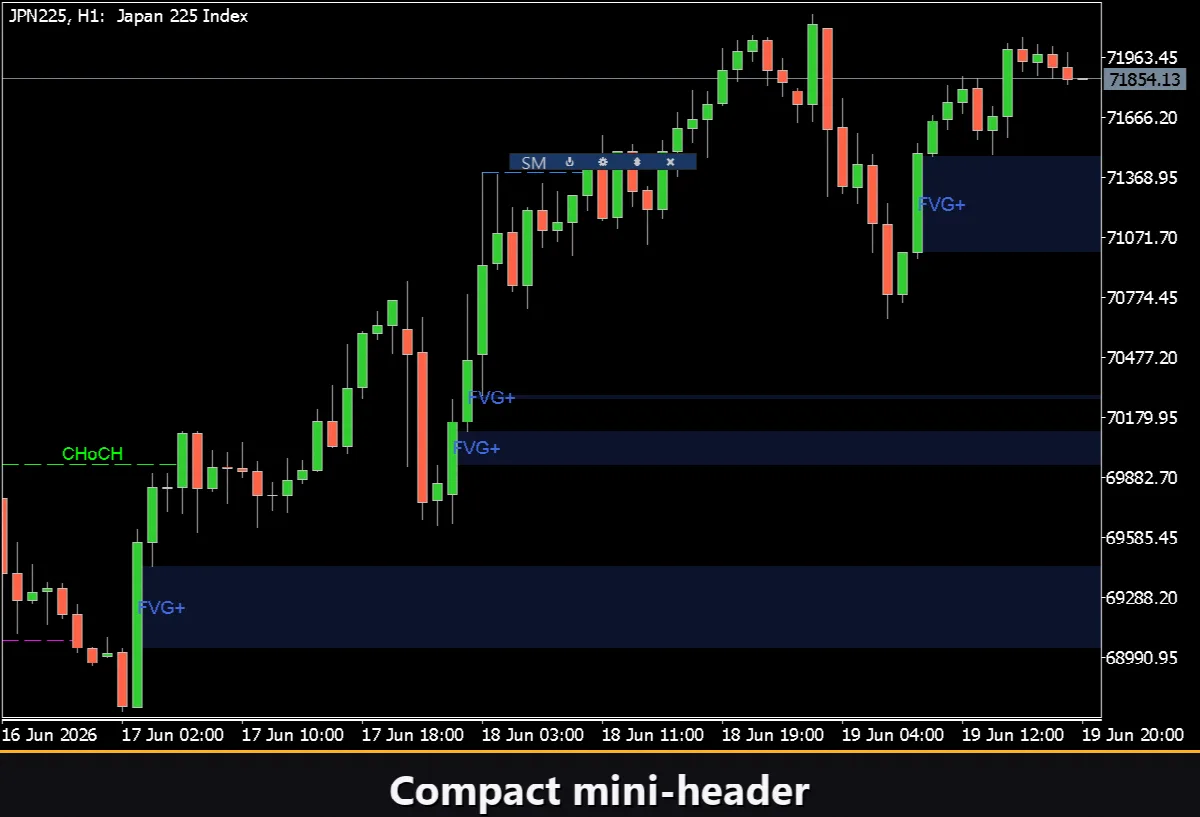
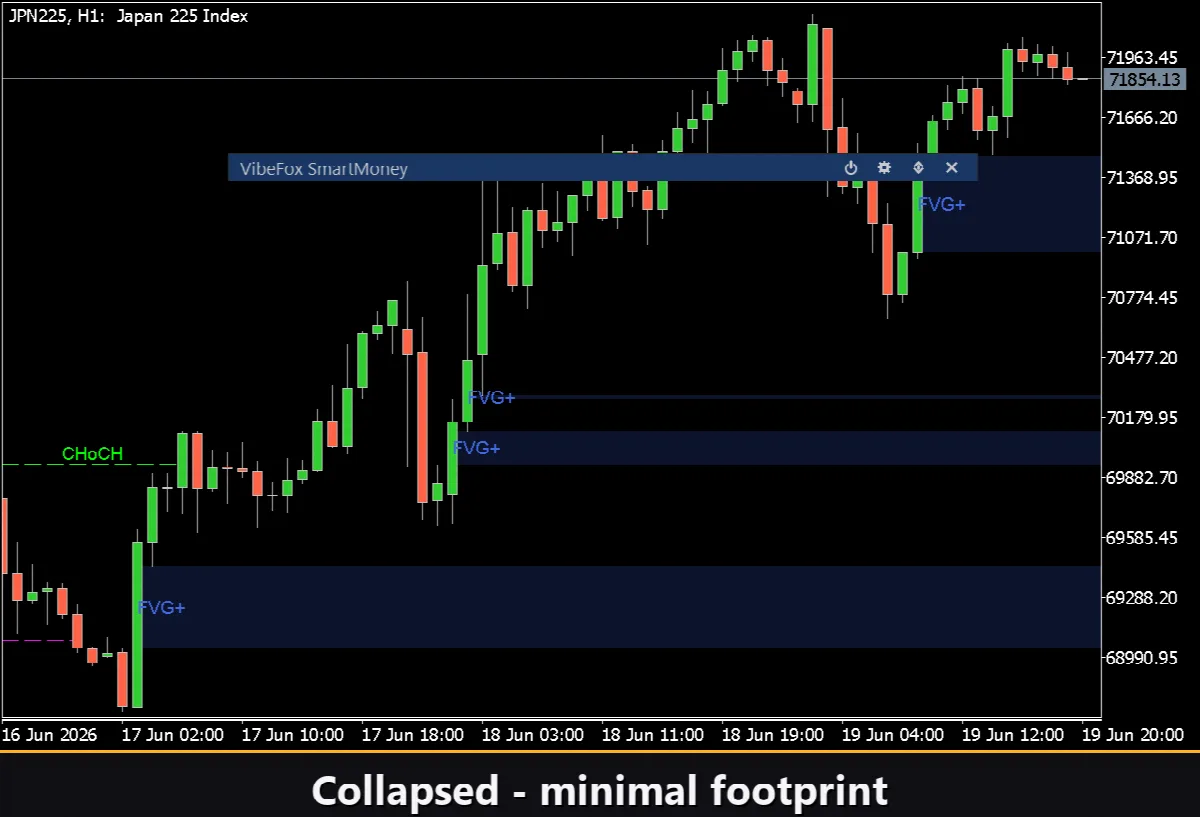
Collapsible — double-click the header to fold the panel into a compact bar.
Quick toggles — left-click a module tab to open its settings, right-click to switch that module on or off instantly.
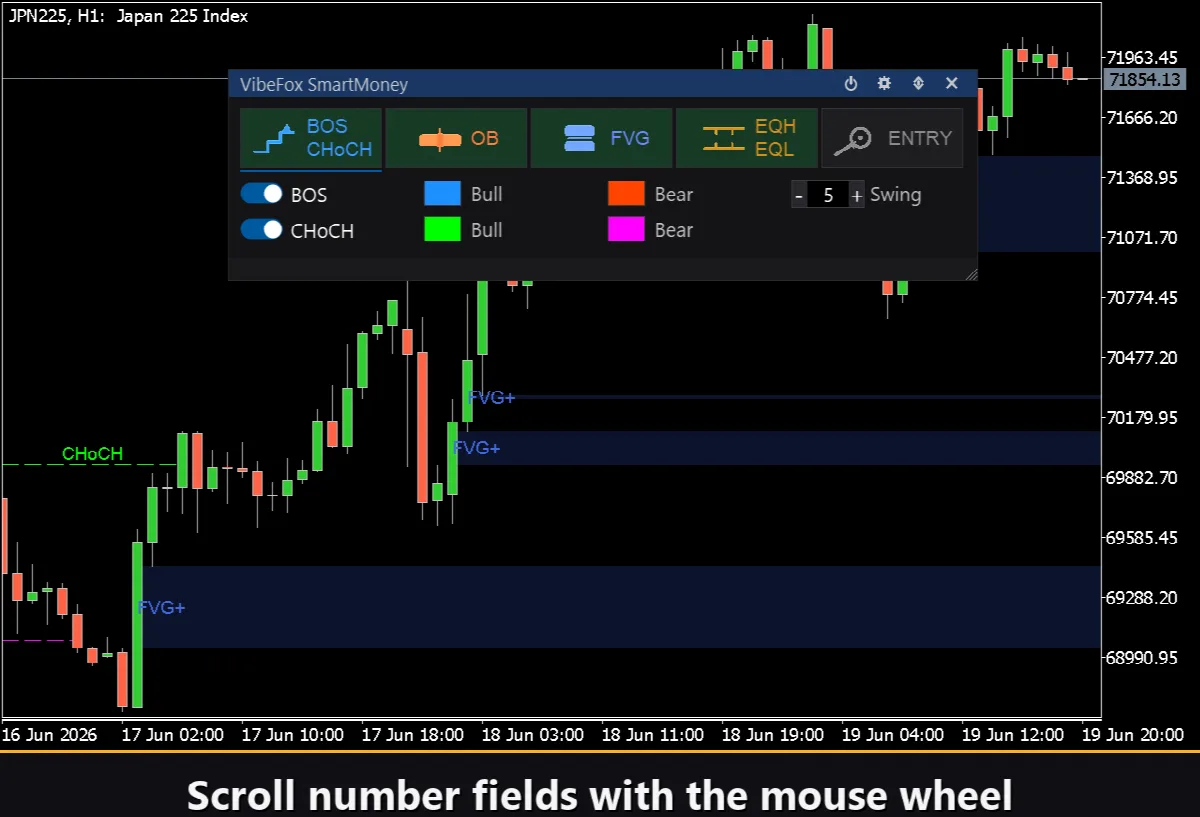
Mouse wheel — hover any number field and scroll to change its value.
Personalization
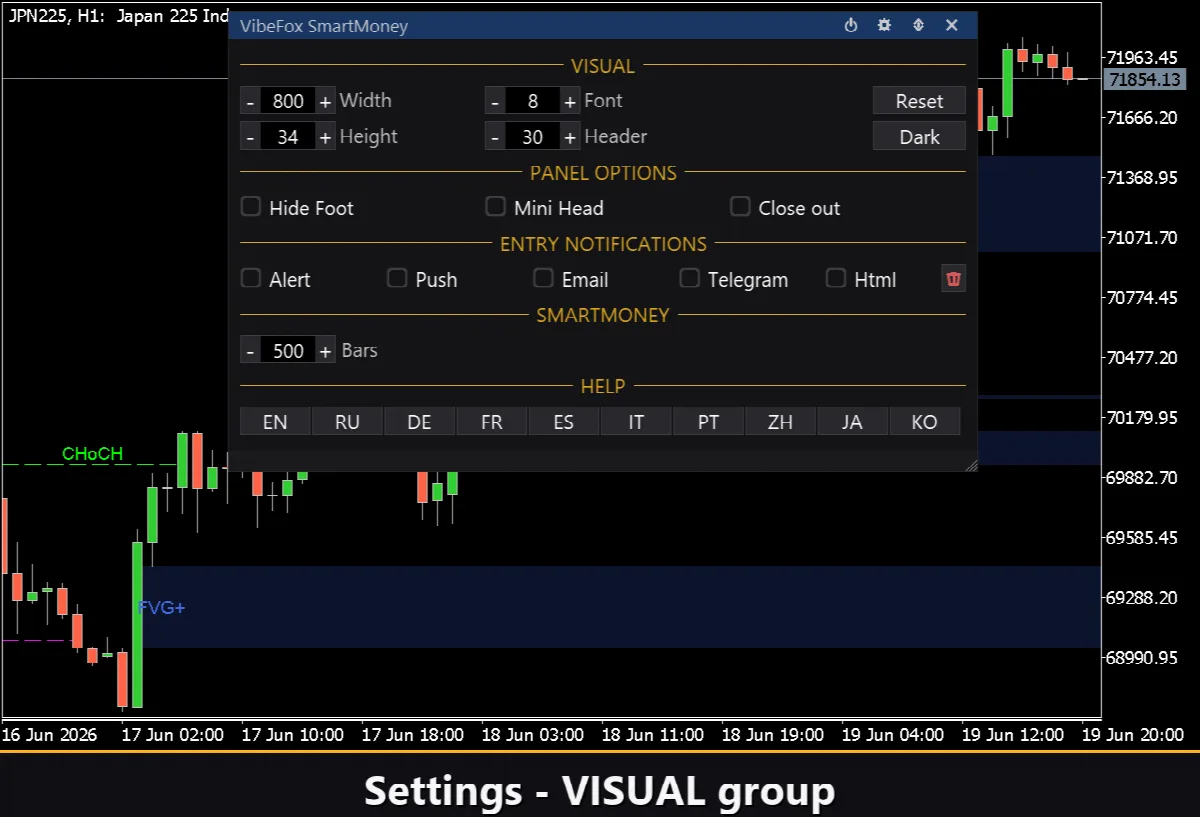
You adapt the look and behavior to your workspace: light, dark or automatic theme, adjustable panel width, header size, row height and font size. You set the scan depth in bars to balance detail against speed, and you can run several independent copies on the same chart using a unique instance number — for example one tuned to a higher timeframe and another to an intraday read.
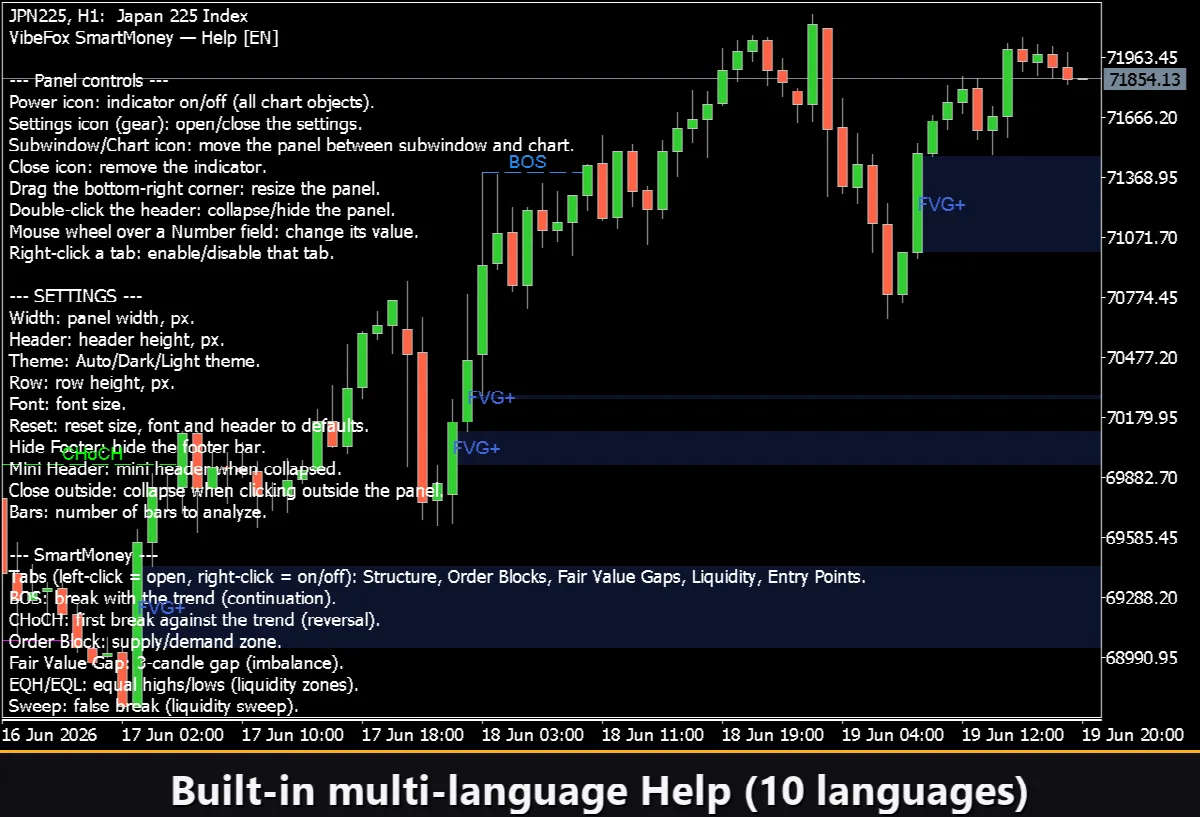
Built-in Multilingual Help
A complete help page is built into the panel and available in 10 languages, so every control is explained right where you use it.